
AI agents for Microsoft 365, maps and route planning – September update
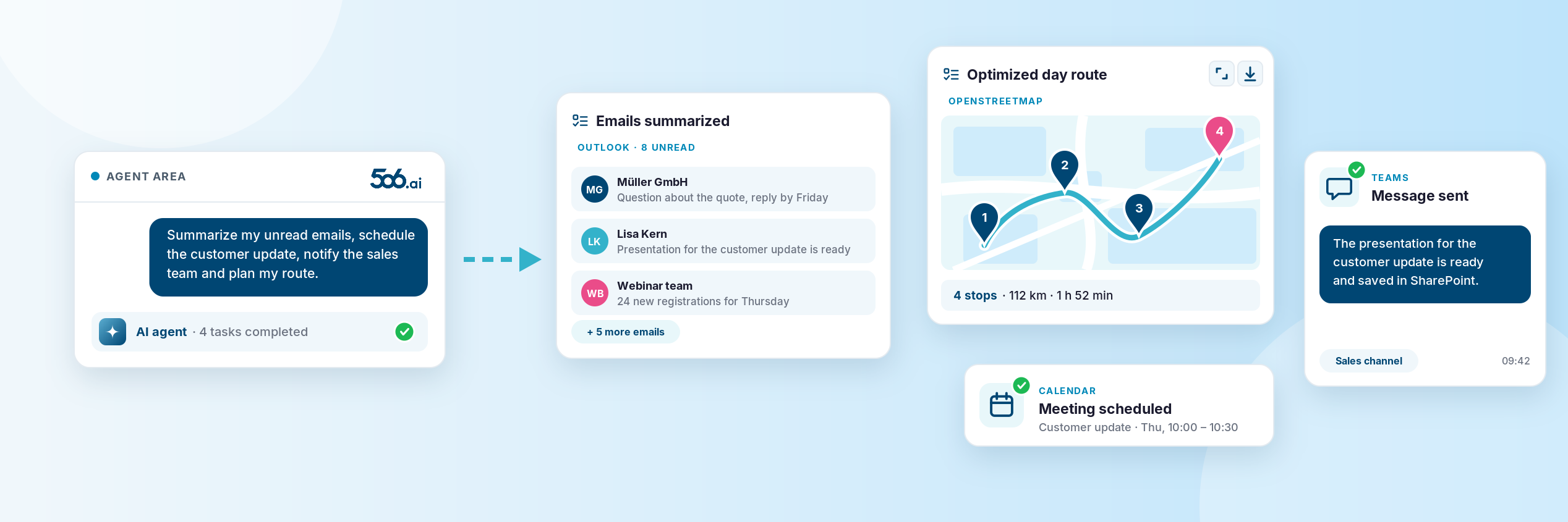
Sound familiar? Evaluating an email with attachment, finding the right document in SharePoint, scheduling an appointment and informing the team in Teams: four applications, countless clicks and a lot of time spent on routine work. With the September 2026 update, the AI agents of the 506.ai platform take this over. They work directly with Outlook, Teams, OneDrive, SharePoint and more, find locations and calculate routes on interactive maps. For admins, there’s also centralized user management that lets you control usage and costs per person.
Microsoft 365: The agent works where your work happens
An AI agent is only as helpful as the information it can access. Previously, emails, appointments or documents had to be manually transferred to the platform. From now on, you connect your Microsoft 365 account just once. After that, the agent works directly with your applications:
- Outlook: Evaluate emails and attachments, compose and send emails
- Calendar: Query appointments, create, reschedule or cancel them
- OneDrive and SharePoint: Search, open and process files
- Teams: Read chats and channels and write messages
- Tasks and contacts: Overview of to-do items and Planner, find contacts
It becomes really powerful when the agent combines multiple areas. A request like “Give me an overview of my week from calendar, open tasks and unread emails” delivers in one step what would otherwise require clicking through three applications. The video shows what that looks like in practice.
You stay in control
During setup, you specify whether the agent can only read or also write, such as sending emails or creating appointments. It only sees content that you yourself have access to. Existing permissions in your organization remain unchanged. The agent only retrieves content from Microsoft 365 for the specific task at hand. Whether and for whom the connection is available is controlled by your company’s IT department. And as usual, every step the agent takes is traceable in real time.
Maps and route planning
With the new OpenStreetMap skill, the agent finds locations and addresses and calculates routes between them. The result is an interactive map instead of a list of addresses. You can zoom in, open it in full view and download it as an HTML file to share.
This is practical anywhere locations matter: when planning field service or customer appointments, comparing locations or putting together travel directions for an event. In the video you can see how the agent creates a finished route from a simple request.
AI costs under control: limits and usage per person
More and more AI providers are charging based on consumption. Microsoft, for example, changed the pricing model for Copilot: a fixed license per user plus a variable component for everything agents accomplish independently. What AI costs per month often only becomes clear on the invoice.
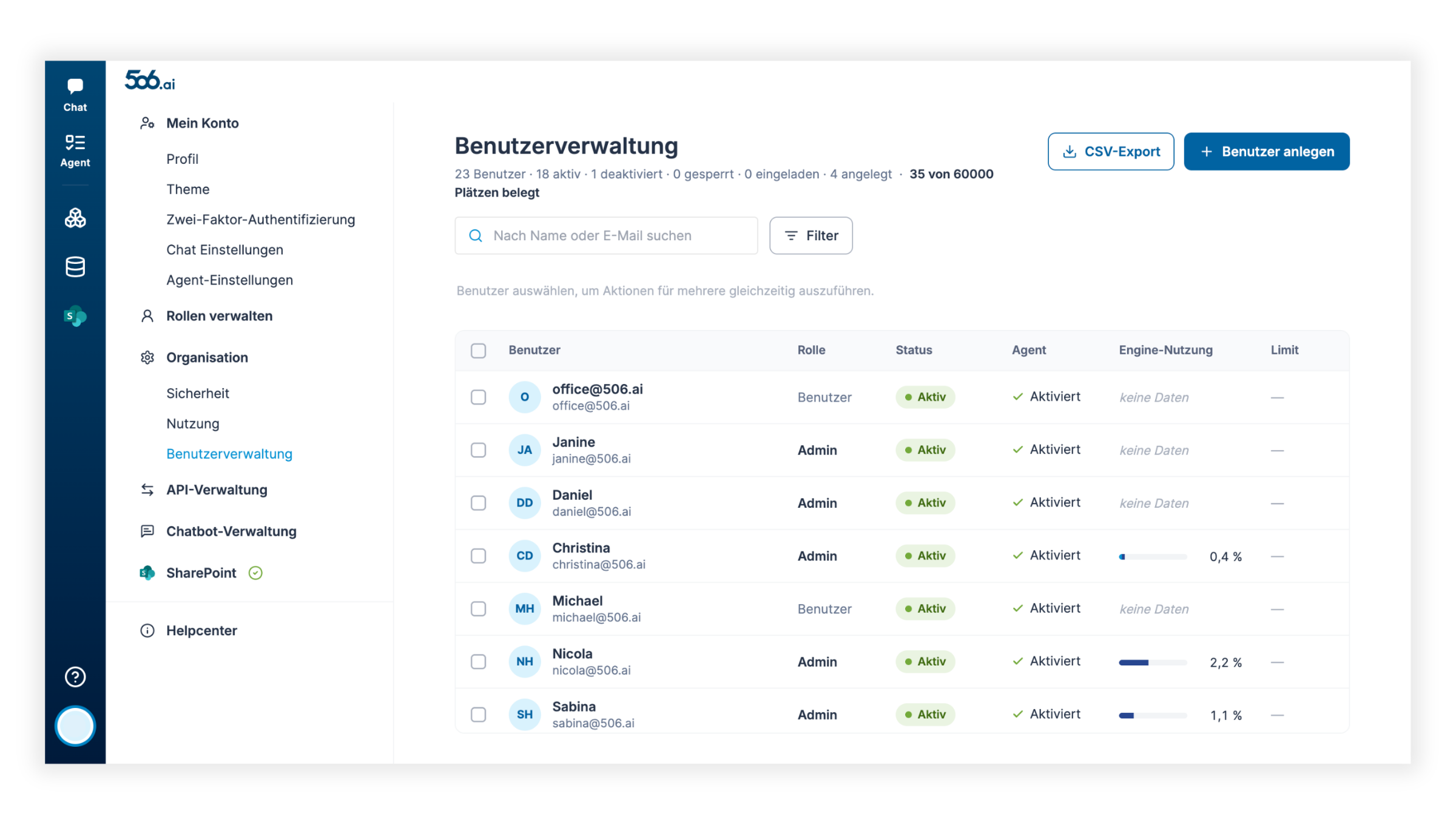
The 506.ai platform takes the opposite approach: you decide in advance how much usage is available and who gets how much. With the September update, this now works per person, directly in the new user management:
- Split usage across people: Your organization’s total usage volume can be easily and clearly distributed to individual users.
- Usage and limits per person: Usage is visible for each person, separated by chat and agent. You can set a limit for each user. Once reached, the agent area is unavailable until the next month. No surprise bills.
- Create and manage users: individually or in bulk, with or without email invitations. Many actions can be performed for multiple users at once.
- Detail page per user: Manage role, agent access and skills, unlock accounts and reset password or MFA.
- Overview and export: Search, filter, available license slots at a glance and export as CSV file.
Since August, the platform also shows a forecast of how usage is likely to develop. This allows admins to see early on whether the volume is sufficient and take corrective action in time. This relieves IT and administrators: Most tasks around users, licenses and costs can now be handled directly in the platform.
Also new
Agent tasks can now be bundled in projects, agent results saved directly in data storage, and research now uses roughly half the previous usage. Numerous improvements to the frontend make the platform noticeably faster: pages and content load more quickly and overall operation is smoother.
AI that fits into your work routine
With the August update we introduced AI agents, digital team members that independently pursue a goal. The September update now connects them with the tools that are already used daily in most organizations anyway. At the same time, admins get the control needed for deployment across the entire organization. Like the entire 506.ai platform, it runs GDPR-compliant on European servers. Which AI models are used is determined by you through model management, including models from European cloud providers like Mistral.